
Your server,
bewitched.

Manage partnerships, events, moderation, tickets and giveaways with Rova. Set up your server in the dashboard and handle everyday tasks in Discord.
Rova the witch
# late-night-chatExample
wolfgirlfan
@Rova i can't sleep. talk to me?
😴1
Rova
RovaBOT
Of course. What's on your mind?
wolfgirlfan
@Rova my exams are tomorrow
😰1
Rova
RovaBOT
Let's make a plan. I'll quiz you.
Chat
Paid chat is coming soon for Alpha servers. Already in use in Ronova Mains.

Rova features: partnerships, events, tickets, moderation, feeds, reaction roles, giveaways, starboard, sticky messages, welcomes, boosters, Wordle and chat.

Features

Any spell you need, at your fingertips.

From everyday setup to staff workflows. Open a card for details. AI features are coming soon for Alpha servers.
Ash
/partner post source: <ad link>

Or mention Rova: “post this partner ad” with its Discohook link. Natural-language access is required; /partner post works without AI.

Admin setup is already complete. The partner ad and your directory are ready to use.

RovaAPP
Partner Ad - Pending Confirmation

New partnerships: #partner-announcements

Announcement Preview@Partnerships We’re now partnered with Asta Mains!Selected AdsAsta Mains
Review the ad preview. Publish sends the ad, then applies the changes shown here.
Destination
New partnerships
Edit Server Details
Optional: list placement, representatives & role
Asta Mains
Publish AdCancel
Partner Ad PreviewAPP
Partner ad source preview, not published. Mentions are disabled.
Asta Mains
ASTA MAINSHonkai: Star Rail
Welcome to Asta Mains!
A friendly, SFW server with guides, emotes, events and giveaways.

Preview the incoming ad before sending it. Sample content shortened to fit.

Setup: Asta Mains
Partner List placement (optional)
HSR Servers / Fire
Representatives (optional)
@Mooncrow
Grant the Partner role?
Grant Partner role to these representatives

Choose the directory placement and representatives here. Nothing is applied yet.

RovaAPP
Partner Ad - Pending Confirmation

New partnerships: #partner-announcements

Announcement Preview@Partnerships We’re now partnered with Asta Mains!Selected AdsAsta Mains
Partner List PreviewAsta Mains → HSR Servers / Fire (added)Representatives & rolesSave representatives: @Mooncrow
Grant @Partner to these representatives.
Review the ad preview. Publish sends the ad, then applies the changes shown here.
Publish AdCancel

Review the ad, list placement, representative and role together.

RovaAPP
Partner announcement published.
Partner Ad - Published
New partnerships: #partner-announcements
Partner List (saved)Asta Mains: HSR Servers / FireRepresentatives & rolesRepresentatives saved: @Mooncrow
Assigned @Partner to these representatives.
Published. All selected updates are complete.

Ads are sent first. Only the selected list, representative and role changes follow.

Partner List
HSR Servers / Fire
Asta Mains
Partner Assignments
Asta Mains@Mooncrow
Mooncrowmooncrow
Partner

The published directory updates, the tracker remembers the representative, and Mooncrow receives Partner.

Partnerships

Post the ad. Update the list. Give their reps a role. One workflow.

An administrator first configures Partner Ads, destinations, Partner managers and the Partner role in the dashboard. Publish your Partner List once to enable later automatic updates. Then a configured Partner manager uses /partner post source: with an incoming ad link, selects its destination, and opens Optional: list placement, representatives & role. Choose the list placement, representatives and whether to grant Partner. Review everything, then choose Publish Ad. Rova sends the ad first and applies only the selected changes. Representative assignments are saved in Partner Assignments. If the list has not been published, its placement is saved for later publication. Rova needs the relevant channel/webhook access and Manage Roles above the configured Partner role. Mention requests such as @Rova post this partner ad and @Rova give me the partner ad require natural-language access, which is coming soon for Alpha servers. /partner post and /partner ad work without AI, with the same permissions and confirmation.Read the full guide
Ash
/user user: @Mooncrow

Use a staff channel. The overview is visible in the channel where you request it.

RovaAPP
User Overview • mooncrow
@Mooncrow
123456789012345678

Account Created: June 12, 2024
Joined Server: October 3, 2026
Join Method: Invited by @Ash using abc123
Current Timeout: None
Server Activity
Messages: 619
Links: 15
Media: 21
Moderation Summary
History: 0 | Notes: 1
Breakdown: None
Signals
Suspected Spammer: No
Timed Out: No
Unusual Account Activity: No
Account Quarantined: No
Profile Quarantined by AutoMod: No
Bot Account: No
Public User Flags: None
Roles
STAFF
Moderator ✦ Staff
ACHIEVEMENTS
Flickering Soul ✦ 5
COMMUNITY
Crimson Acolyte ✦ MembersSupporter
History
No moderation history.
Notes
October 20, 2026 by @Ash
Helped coordinate the art event.
Tickets
Open: 1 | Total: 3
OPEN #0042 - Staff Inquiry
CLOSED #0031 - Support
CLOSED #0016 - Report an Issue
WarnTimeoutKickBanOpen ticket
Notes

Scroll through roles, history, notes and tickets. Buttons follow the moderator’s permissions.

RovaAPP
Staff Notes • mooncrow
Note #1
Helped coordinate the art event.
Added by @Ash
Add NoteEdit #1

Notes are part of the same workflow. Authors or administrators can edit them.

Ash
@Rova show me the user overview for @Mooncrow.

AI access required. Natural-language commands are coming soon for public servers.

RovaAPP
User Overview • mooncrow
@Mooncrow
123456789012345678

Account Created: June 12, 2024
Joined Server: October 3, 2026
Join Method: Invited by @Ash using abc123
Current Timeout: None
Server Activity
Messages: 619
Links: 15
Media: 21
Moderation Summary
History: 0 | Notes: 1
Breakdown: None
Signals
Suspected Spammer: No
Timed Out: No
Unusual Account Activity: No
Account Quarantined: No
Profile Quarantined by AutoMod: No
Bot Account: No
Public User Flags: None
Roles
STAFF
Moderator ✦ Staff
ACHIEVEMENTS
Flickering Soul ✦ 5
COMMUNITY
Crimson Acolyte ✦ MembersSupporter
History
No moderation history.
Notes
October 20, 2026 by @Ash
Helped coordinate the art event.
Tickets
Open: 1 | Total: 3
OPEN #0042 - Staff Inquiry
CLOSED #0031 - Support
CLOSED #0016 - Report an Issue
WarnTimeoutKickBanOpen ticket
Notes

The same member overview, requested in your own words. AI access required.

Member Overview

Activity, roles, moderation history, notes and tickets in one /user view.

Run /user user: to inspect a member, then use Warn, Timeout, Kick, Ban, Open ticket or Notes as your permissions allow. Full History appears when more records exist than fit in the overview. Moderate Members is required to open it. Use a staff channel because the reply is visible there. An AI-enabled @Rova lookup opens the same view; natural-language access is coming soon for public servers.Read the full guide
Ash
/warn user: @Mooncrow reason: Repeated spam.

Slash moderation works without AI.

RovaAPP
Warn • Pending Confirmation
Member@MooncrowModerator@Ash

Reason
Repeated spam.

User DM Preview
Server: Ronova Mains
Action: Warn
Reason: Repeated spam.

ConfirmEditCancel

Review the member and reason. Confirm, Edit or Cancel.

RovaAPP
Warn • Completed
Member@MooncrowModerator@Ash

Reason
Repeated spam.

The warning is recorded in member history.

Ash
@Rova timeout @Mooncrow for 10 minutes because of repeated spam.

AI access required. Natural-language commands are coming soon for public servers.

RovaAPP
Timeout • Pending Confirmation
Member@MooncrowModerator@Ash

Reason
Repeated spam.

Duration
10m

User DM Preview
Server: Ronova Mains
Action: Timeout
Reason: Repeated spam.
Duration: 10m

ConfirmEditCancel

Natural-language requests use the same review step.

RovaAPP
Timeout • Completed
Member@MooncrowModerator@Ash

Reason
Repeated spam.

Duration
10m

The timeout is applied after confirmation.

Ash
/purge amount: 20 filter: Bots reason: Clean up bot messages.

Scan recent messages and review the matching set before removal.

RovaAPP
Purge • Pending Confirmation
Channel#generalRequested Amount20Matched Messages4Filterbots

Reason
Clean up bot messages.

ConfirmCancel

20 scanned, 4 matched. Unmatched messages stay.

RovaAPP
Purge • Completed
Channel#generalRequested Amount20Matched Messages4Filterbots

Reason
Clean up bot messages.

Also available: /kick, /ban, /unban and /untimeout. Each checks the permissions it needs.

Ash
@Rova give everyone who has @Members the @Event Ping role.

Natural-language access required. Administrator permission and an allowed command channel are required.

RovaAPP
Confirm mass role assignment
Affected members (1-3 of 3)
@Mooncrow
@Starlight
@Ember
Role@Event PingRequested by@Ash

Selection
Snapshot of members with @Members

ConfirmCancel

Review the exact member list before confirming.

RovaAPP
Mass role assignment in progress
Affected members (1-3 of 3)
@Mooncrow - Processing
@Starlight - Processing
@Ember - Processing
Role@Event PingRequested by@Ash

Selection
Snapshot of members with @Members

RovaAPP
Mass role assignment complete
Affected members (1-3 of 3)
@Mooncrow - Added
@Starlight - Added
@Ember - Added
Role@Event PingRequested by@Ash

Selection
Snapshot of members with @Members

Added: 3Already had role: 0Failed: 0

The same preview updates with each member’s outcome. Natural-language role requests are coming soon for Alpha servers.

Moderation Commands

Warn, timeout, remove members or clean up messages with a review before action.

Use /warn, /timeout, /untimeout, /kick, /ban, /unban and /purge. The warning, timeout and purge examples show their confirmation step. Purge scans up to 100 recent messages and supports user, bot, text, embed and attachment filters. Each action checks the staff member’s permissions and Rova’s access; role hierarchy also applies. AI-interpreted moderation requests are coming soon for public servers and use the same safeguards in allowed command channels. Slash commands do not need AI. The @Rova give everyone who has @Members the @Event Ping role request requires natural-language access: an Administrator reviews and confirms the exact member list before roles change.Read the full guide
Mooncrow
/submit

Day 3 is open. Each event can have its own questions, files and submission limits.

Submit for eventFan Art Week / Day 3
Entry title
Give your entry a title
About your entry
Tell us about your entry
ArtworkChoose file

Admins build the form in the dashboard. This example asks for a title, description and artwork.

Submit for eventFan Art Week / Day 3
Entry title
Under the stars
About your entry
A quiet night in Teyvat.
artwork.pngAttached

All answers and uploaded files are saved together as one entry.

RovaAPP
@Mooncrow, your entry is saved. Event staff will review it shortly.

Example custom submission confirmation. With staff review enabled and auto-accept off, the entry starts Pending.

RovaAPP
Submission awaiting review
Member@MooncrowEventFan Art WeekDayDay 3
Entry title
Under the stars
About your entry
A quiet night in Teyvat.
AcceptReject

In the separate staff review channel, event staff see answers and attachments immediately. Accept approves the entry. This example follows Reject.

Reject submissionOnly event staff and administrators can review entries.
Why was this submission rejected?
Please add your artist credit.

Staff must give a reason. Rejection frees the member’s slot while this submission day is still open.

RovaAPP
Please update your entry
@Mooncrow, your Fan Art Week entry needs a small change.

Reason
Please add your artist credit.

You can send a replacement while Day 3 is open.

Example custom DM using server branding. Admins can edit the rejection embed or import JSON. Auto-accept skips the pending decision and hides Accept; Reject remains available.

Events & Submissions

Custom forms, staff review and rewards for accepted entries.

Build custom forms, collect answers and files, and send each entry straight to a private review channel. Event staff can Accept or Reject with a reason. Rejection sends a configurable DM using your moderation branding; import a JSON embed if you already have a design. Auto-accept approves entries on arrival and keeps the Reject action available. Only accepted entries enter scheduled relays and count toward participation rewards. Rejection allows a replacement while the submission day is open, but does not remove roles already awarded.Read the full guide
RovaAPP
User Overview • mooncrow
Open a private conversation with this member.
Open ticket

Start from a member overview. Members can contact staff through ticket panels.

Open a TicketStaff Inquiry for Mooncrow
Reason for opening
Type here…
Message and context
Type here…

Ticket staff can open a private discussion with a member.

Open a TicketStaff Inquiry for Mooncrow
Reason for opening
Event report follow-up
Message and context
Let us talk through the event report.

Ticket staff can open a private discussion with a member.

RovaAPP
Ticket #0042 - Open
Member@MooncrowTypeStaff InquiryClaimed ByUnclaimed

Subject
Event report follow-up

Details
Let us talk through the event report.

ClaimAdd UserRemove User
Edit TicketRenameClose

Inside the private ticket channel.

RovaAPP
Close this ticket? Choose whether to save a transcript.
Close OnlyClose + TranscriptCancel

Closing does not delete the channel. Transcript creation is your choice.

Close + TranscriptOptional reason
Close reason
Resolved with the member.
RovaAPP
Ticket closed. Transcript created and archived for ticket staff.

Only ticket staff can close a ticket opened on someone else’s behalf.

Ash
@Rova open a ticket with @Mooncrow to discuss the event report.

AI access required. Natural-language commands are coming soon for public servers.

RovaAPP
Ticket created for @Mooncrow: #ticket-0043

A separate staff request. Natural-language access and ticket-staff permissions are required.

AI access required. Natural-language commands are coming soon for public servers.

Tickets

Private support, reports and staff conversations, from opening to transcript.

Configure ticket types, staff roles and the member panel in the dashboard. Members can choose a panel option. Administrators and ticket staff can use /ticket. Staff can open a ticket from /user and fill in the reason and context. Claim tickets, manage participants, close them with or without a transcript, or reopen them later. Closing and deleting are separate actions. Natural-language staff requests require AI access and an enabled command channel; they are coming soon for public servers.Read the full guide

Safety & Media Review

AI

Account-age protection, keyword rules and AI media review for staff.

An empty monitored-channel list means all accessible channels. Approved Media holds false alarms; Unapproved Media holds blocked images, GIFs, videos and links.
/kick/ban/unban/massban/purge/monitor/rovamodcommands
Read the full guide
RovaAPP
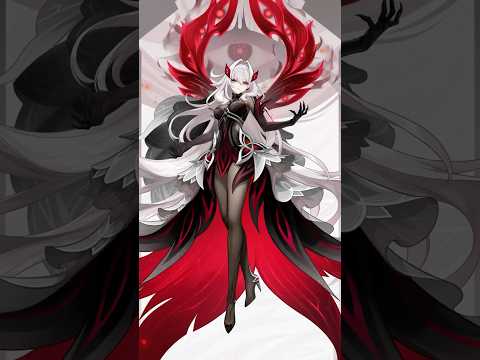
Genshin Impact published a new video!
Ruler of Death - Ronova #GenshinImpact #Ronova
Published: October 4, 2026

Feeds work without AI. Enable AI review to check new items before posting.
RovaAPP
Watch on YouTube: youtube.com/shorts/3v93vjZQumA
YouTube / Genshin ImpactRuler of Death - Ronova #GenshinImpact #Ronova

Official Genshin Impact video. Example, not a new upload today.

YouTube & Reddit Feeds

Post new YouTube videos and subreddit posts straight into your server.

Feeds work without AI. Turn on AI moderation to review new items before posting. With AI off, items publish without that review; your subscription filters still apply. Previously flagged items stay held for a staff decision. If an enabled reviewer fails, Rova holds the item instead of skipping the check.
/youtuberss/redditrsssubscribeunsubscribelisttestleaks
Read the full guide

Reaction Roles

Let members pick their own roles by reacting.

Modes: Normal, Unique, Binding, Verify, Drop, Reversed, Lock and Temporary. Read each mode's description before publishing.Read the full guide
Role Milestones
Source role
Members
Member threshold
100
Role to assign
Founding Members

Set it once. The trigger waits for 100 Members.

RovaAPP
Role Automation • Running
Source role@MembersTarget role@Founding MembersThreshold100Exact cohort100 members
Assigned 0Skipped 0Failed 0

The Members role reaches 100. Assignment starts.

RovaAPP
Role Automation • Completed
Source role@MembersTarget role@Founding MembersThreshold100Exact cohort100 members
Assigned 100Skipped 0Failed 0

The same audit message updates when the run finishes.

Role Milestones

Set a member-count milestone and award a role when it is reached.

Each milestone runs once, awarding the chosen role to the members who hold its source role when the threshold is reached. The audit embed changes from Running to Completed, with assigned, skipped and failed counts. Check any failures before retrying or abandoning. Removing a milestone doesn't undo awards.Read the full guide

Giveaways

Templates, entry rules, scheduled draws, winner roles and threads.

Entry rules can require roles, account age, time in the server, activity or membership in listed servers; bonus roles add chances. Members may need a separate Discord sign-in to verify (it doesn't grant dashboard access).Read the full guide

Starboard

Highlight your community's best messages.

Leaving Included channels empty allows all channels Rova can read, including restricted ones, so check who can see the destination. Tracking starts with reactions Rova observes; old history isn't scanned.Read the full guide
RovaAPP
Sharing art?
Please include a link to the artist.

Rova has already posted the saved sticky message.

RovaAPP
Sharing art?
Please include a link to the artist.
Mooncrow
Finished my entry! Posting it now.
Nightowl
The lighting looks so good!

Members keep talking below the reminder.

RovaAPP
Sharing art?
Please include a link to the artist.
Mooncrow
Finished my entry! Posting it now.
Nightowl
The lighting looks so good!
RovaAPP
Sharing art?
Please include a link to the artist.

After the configured delay, the replacement is sent.

Mooncrow
Finished my entry! Posting it now.
Nightowl
The lighting looks so good!
RovaAPP
Sharing art?
Please include a link to the artist.

The previous copy is removed. One reminder, back at the bottom.

Sticky Messages

Keep a reminder or guide at the bottom of a channel. No AI needed.

After members post, Rova waits, re-sends the sticky and removes the old copy. Bot/webhook messages don't trigger it and mentions don't notify. Pause, Resume and Stop tracking are available; up to 25 per server, one per channel (not the Wordle sticky channel).Read the full guide

Welcome & Boosters

Greet new members and thank boosters, with streaks and personal roles.

Welcome new members, send booster thank-yous and configure loyalty rewards. Personal-role customization has its own card below. Staff can review streaks and correct recorded reward history in the dashboard or with /boostersetup.
/welcome/booster/boosters/boostersetup
Read the full guide
Mooncrow
/role claim

Admins first choose a placement role in the dashboard. Custom roles are created directly below it.

Customize Your Booster RoleChoose your name and colors.
Role name
Keeper of Embers
Primary color
#FFFFFF
Secondary color
#ED4245

Boosters and members with a configured bypass role can customize a personal role. Loyalty rewards still require boosting.

Mooncrow
/role icon image: role-icon.png
RovaAPP
Role Icon UpdatedExample custom role icon
Set icon for Keeper of Embers.

Role icons and enhanced colors depend on Discord’s server features. Use /role clear to remove the icon. It does not delete the role.

Mooncrow
/role share
Choose members to share with
@Ash   @Kestrel

Choose more than one member. The dashboard allowance defaults to two recipients, counting pending and accepted gifts together.

RovaAPP
A custom role for youExample custom role icon
@Mooncrow just shared their custom role, @Keeper of Embers with you! Press Accept to accept the role.
Invited members@Ash: Pending
@Kestrel: Pending
AcceptDecline

One shared invitation. Only its named recipients can accept or decline for themselves. Unanswered invitations expire after 24 hours.

RovaAPP
A custom role for you
@Keeper of Embers
Invited members@Ash: Accepted
@Kestrel: Declined

Accept adds the role. The invitation updates in place. Admins can customize its message and embed color; an uploaded role icon appears on the invitation.

Ash
/role remove

Recipients can leave a role they accepted. Owners use /role unshare to choose from their current recipients and pending invitations. Sharing ends if the owner loses eligibility.

Booster Role Customization

A personal role to customize and share with friends.

Choose a name, colors and an icon with slash commands. Admins must set a placement role before members create a custom role. The dashboard also controls the embed color, bypass roles, invitation message, sharing switch and recipient allowance. Boosters and bypass-role members can share with selected recipients, who must accept first. Use /role remove to leave a received role, /role unshare to revoke a share, or /role clear to remove your own role icon. Slash commands do not need AI.Read the full guide
Mooncrowmooncrow
════ COMMUNITY ════
Member

Your headings are configured in Role Categories.

Mooncrowmooncrow
Moderator
════ COMMUNITY ════
Member

Mooncrow receives the Moderator role.

Mooncrowmooncrow
════ STAFF ════
Moderator
════ COMMUNITY ════
Member

Rova adds the STAFF heading automatically. Neat, organized roles.

Role Categories & Header Sync

Add category headings automatically to keep member profiles organized.

Create your heading roles in Discord, then map each one to its member roles in the dashboard. For example, receiving Moderator also adds the STAFF heading to that member's profile. Losing the last role in that category removes the heading. Disabling synchronization or removing a category leaves existing headings in place. Legacy automatic grouping is also available for separator roles. Wait for a sync to finish before starting another.Read the full guide
Mooncrowmooncrow
Custom statusdiscord.gg/ronovamains
OR
Server tagRoꝟa

Either enabled requirement can earn the role.

RovaAPP
@Mooncrow, thank you for representing our server!
Rewards
Wear our server tag or put discord.gg/ronovamains in your status.

Your Supporter role has been added.

Choose the reward role and announcement in the dashboard.

Server Representation

Give members a reward role for your invite in their status or your server tag.

Choose the reward role and customize its thank-you announcement in the dashboard. Members qualify with an approved invite in their visible custom status or the configured server tag. Blank status phrases accept known invites for this server; a tag can use this server or a selected source server. Discord hides offline and invisible statuses, so Rova retains the last confirmed match until it has evidence. Rova manages only reward assignments it owns.Read the full guide

Wordle

AI

Track Wordle submissions and compare your server’s scores.

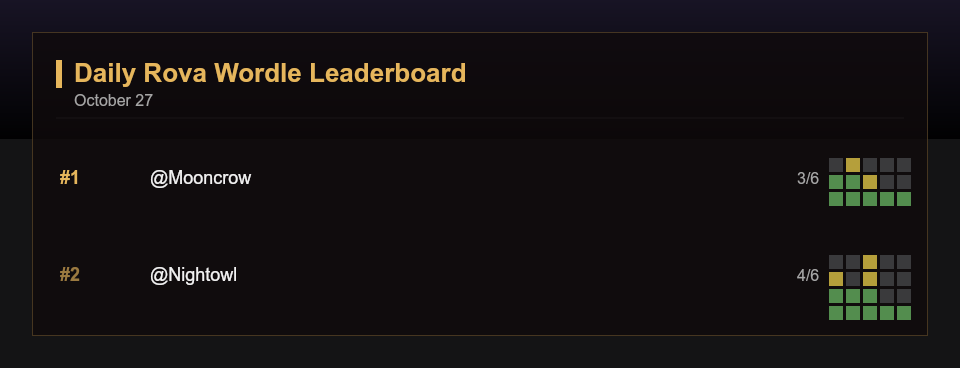
/rwordle submit image: reads a finished grid using AI image recognition, so screenshot submissions need that feature. Leaderboards are daily or global (this server's all-time scores). The day resets on America/New_York time.
/rwordlesubmitleaderboard/wordlesetup set|view|unset
Read the full guide

Nickname Protection

Restore protected members' nicknames if someone changes them.

Rova uses the audit log to spot someone else's change. Members may still change their own nickname. Needs View Audit Log and Manage Nicknames with Rova above protected members. Turning it off keeps settings.Read the full guide

Chat & AI

Coming soon (Paid)

Chat with Rova, let her join in, or ask in your own words with @Rova.

Planned as paid features: no plan to buy and no launch date yet. AI features are coming soon for Alpha servers. Current use is limited to Ronova Mains and development testing; dashboard settings cannot enable AI for an Alpha server.
/rovatalk/passivechat/rovamodcommands
Read the full guide
Logging
Default channel#staff-auditMessage logs#message-logMember movement#join-leaveEmbed colorPurple
Selected: edits, deletes, joins, leaves and voice moves

Choose events individually. Route each group to its own channel, or use one default destination. No AI required.

RovaAPP
Member joined
Member
@Mooncrow
Mooncrow
Account createdMarch 14, 2024Joined serverOctober 30, 2026Server members108
User ID: 123456789012345678

A mention, profile image and useful account dates help staff identify who joined.

RovaAPP
Message edited
Member@AshChannel / message#general / View message
Before
Co-op at 8?

After
Co-op at 9? I forgot dinner.

See the change and jump to the message. Earlier text is shown when available; uncached content cannot be recovered.

RovaAPP
Moved voice channel
Member@KestrelFrom channelLobbyTo channelCo-op

Message, member, server and voice logs use the chosen embed color. Keep log channels private and exclude channels or categories you do not want logged.

Logging & History

Choose the events, keep the context and route logs to staff.

Log message edits, deletions and purges; member joins, departures and changes; server changes; and voice activity. Choose a default channel, separate group destinations, ignored channels and the embed color. Entries include member identity, profile pictures, dates and before-and-after context when available. Logs never ping the members they mention. Dashboard History keeps supported settings restore points. A restore does not undo published messages, moderation actions, prizes or awarded roles.Read the full guide
Bot Appearance
App name
Rova
Bio
Type here…
Profile picture Choose imageBanner Choose image
Preview
RovaAPP

Your server profile

Server profileSave
Bot Appearance
App name
Moonkeeper
Bio
A little magic for our community.
Profile picture Choose imageBanner Choose image
Preview
MoonkeeperAPP

A little magic for our community.

Server profileSave
Bot Appearance
App name
Moonkeeper
Bio
A little magic for our community.
Profile picture Choose imageBanner Choose image
Preview
MoonkeeperAPP

A little magic for our community.

Profile saved. Discord confirmed the update.Save

Bot Appearance

Edit Rova's name, bio and profile images in the dashboard.

Open Bot Appearance to edit App name, Bio, Profile picture and Banner. Check the Preview, then choose Save to update Rova's profile in this server. Discord can limit how often it changes; keep your draft and wait for the time shown.Read the full guide
Commands

Just type a slash.

Use slash commands for everyday tasks. Configure your server in the dashboard, where each feature has its own settings and preview.

Read the full docs
/user user:
Member overview with history, notes and ticket links.
/partner post source:
Review and publish an incoming partner ad.
/ticket open subject: user:
Open a private staff inquiry.
/submit
Open the event form and send your entry.

Where it started

At home in Ronova Mains.

The official bot of the Ronova Mains Discord community. Built around the things our members and moderators do every day.

The crunch incident.
She has opinions about Taco Bell, apparently.From Ronova Mains, with sample avatars. Chat is coming soon for public servers.

Something missing?

Request a feature or ask about custom functionality for your server. We’ll review what’s possible together.

Talk to us
Rova

Ready to cast?

Private Alpha is limited to approved Alpha servers.

Add to Discord